01
Workflow discovery
We shadow the real process — spreadsheets, emails, workarounds — and map the rules that matter before any build.

SolutionWeb Challengers
Operational platforms built around the workflows spreadsheets and generic SaaS can't represent — roles, approvals, records, reporting and integrations combined in one system you own.
When a company runs on spreadsheets, email approvals and copy-paste between tabs, that's not inefficiency by choice — it's evidence the business has outgrown generic software. We read those spreadsheets like archaeological evidence: each workaround marks a rule your operation depends on that no off-the-shelf tool would represent.
We build the system those rules deserve. Roles and permissions that match your org chart, approval chains with real accountability, records that link together the way your staff already think — delivered workflow by workflow, so operations never stop while the system grows.
And because it's yours, it compounds. Every report, automation and integration added later builds on the same foundation — instead of paying licence fees that grow with your success while the workarounds quietly return.
Workflows modelled from how your team actually operates
Roles, approvals and audit trails built in
Delivered in phases — operations never stop
You own the system outright, licence-free
Each phase delivers a working workflow — the platform grows around your operation instead of interrupting it.
We shadow the real process — spreadsheets, emails, workarounds — and map the rules that matter before any build.
Role-specific screens that show each team the state of their work, linked to the records behind every number.
Structured records for jobs, clients, assets or cases — with history, documents and notes in one place.
Sign-off chains that match your accountability, enforced by the system rather than remembered by staff.
The operational reports your meetings rely on, generated live with definitions everyone trusts.
Finance, CRM, logistics and communication tools connected — so the new system fits the ecosystem you run.
Real project patterns connected to this service, solution or industry experience.
View all case studies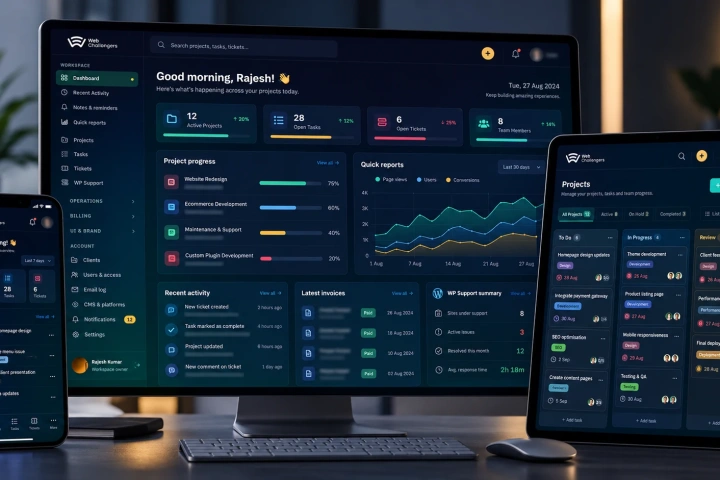
A secure Laravel + Vue platform unifying projects, clients, teams, support, billing and bulk WordPress operations — built to make 400–700+ website estates practical to manage from one place.
View case study↗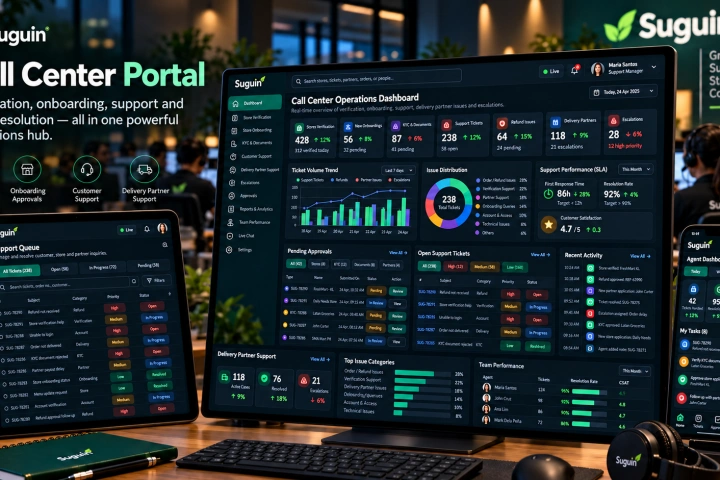
A Vue.js operations portal for store verification and onboarding, document/KYC approval, customer support, refunds, delivery-partner assistance, escalations and support-team visibility.
View case study↗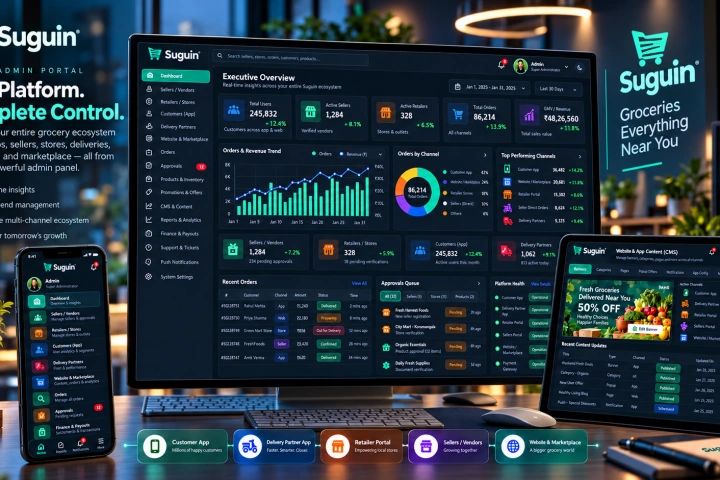
The Laravel and MySQL core of the Suguin ecosystem, managing sellers, retailers, customers, delivery partners, catalogues, orders, content, promotions, approvals, payouts, support and platform-wide controls.
View case study↗Custom software succeeds when each release is adopted — our sequence is built around that.
Workflows, rules and exceptions documented with the people who run them — including the spreadsheet archaeology.
The highest-value workflow delivered end to end: screens, rules, reports and the data migration behind it.
The team runs the new workflow while we build the next — feedback from real use shapes each phase.
As workflows move over, the old workarounds retire — with an owner, a roadmap and support in place.
Custom software is the right call when the workflow is the differentiator — pricing models, case handling, field operations. It's the wrong call when a configured off-the-shelf tool would do. We will tell you which you're facing in the first conversation, even when it costs us the project.
Custom systems fail socially more often than technically — a tool the team routes around is an expensive ornament. Budget for involvement, training and the transition period where both old and new ways run in parallel, because adoption is a deliverable like any other.
Straight answers about how this work is scoped, delivered and supported.
Ask something else →We rank workflows by value delivered against risk — the first release is the one that saves the most hours or removes the most errors, not the one that's easiest to demo.
Rarely, and it shouldn't try. Good systems connect what works and replace what doesn't — your accounting package and email stay; the spreadsheet chaos goes.
It's migrated — profiled, cleaned, mapped and reconciled before cutover, with the old data kept read-only as an archive.
You do — source code, data and infrastructure, with documentation that a successor team could pick up. Ownership is never ambiguous.
Send us the workflow that's outgrown its tools. We will tell you honestly whether custom software pays its way — and map the safest route if it does.
Discuss the solution ↗