Scale400–700+ websites
Filter, select and operate large WordPress estates in bulk — queued execution and central reporting replace repeating the same task site by site.

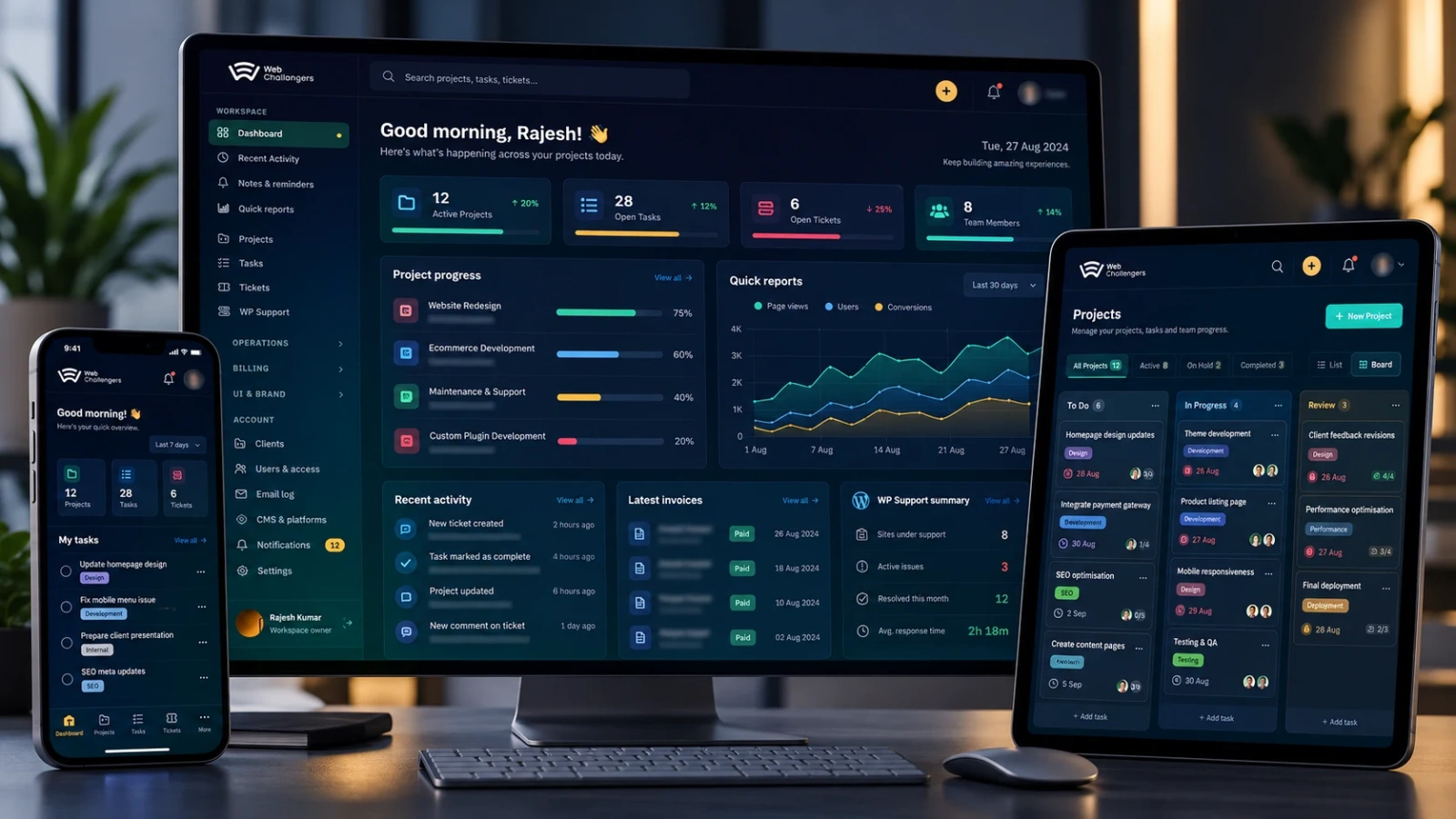
A secure Laravel + Vue operations platform that brings delivery, clients, support, billing and WordPress fleet management into one workspace — built so 400–700+ websites can be run from a single control centre.
Web Challengers Operations Hub replaces a patchwork of project tools, spreadsheets, support inboxes, credential stores and per-site WordPress logins with one secure platform covering the whole operating cycle: client onboarding, projects, milestones, tasks, tickets, time, reporting, billing, team capacity and large-scale WordPress maintenance.
It is built on a Laravel backend with a Vue interface and separate, role-based experiences for administrators, project managers, internal teams, client administrators and client team members. WordPress fleet tooling shares the same data, so a maintenance issue is always reviewed in the context of the client, project, ticket or delivery work around it.
The fleet layer is designed for scale. Whether an estate has 40 sites or 700+, administrators can target every site, one client's sites, an environment or a hand-picked group — then run controlled batch operations with progress, verification and reporting in one place.
Filter, select and operate large WordPress estates in bulk — queued execution and central reporting replace repeating the same task site by site.
A secure Laravel application layer with a responsive Vue interface for administration, client access, daily workflows and fleet tooling.
Role-based permissions and 2FA protect every login; stored website credentials and sensitive operational data are encrypted.
Authorised team members open supported WordPress admin areas through controlled platform login — without ever receiving or storing the administrator password.
Choose every website, one client's websites or a hand-picked set, then run the same verified action across the selection.
Beyond a simple update list: apply protection defaults, run file and database scans, review suspicious records and block destructive cleanup while data is still linked to live content.
Day-to-day delivery, support and client visibility in one workspace — move from a project or task to its ticket, report or delivery context without switching systems.
Client records, access, reporting and billing share the platform, so teams see what is being delivered and what has been invoiced.
Today's tasks, milestone deadlines, blockers and upcoming deliveries — with team scheduling that avoids assigning work into occupied time.
Real office hours, holidays and approved leave drive practical availability, which is then compared with worked time and delivery performance.
Projects, clients, developers, support requests, invoices and a growing WordPress estate were spread across disconnected systems. At fleet scale even simple jobs — plugin updates, security rules, login-path changes, malware checks, core maintenance — become slow when every site is opened and handled on its own, and sharing WordPress administrator passwords with the team creates avoidable exposure and makes offboarding hard to control.
One Laravel + Vue hub that connects business delivery with WordPress fleet management. Clients, projects, tasks, tickets, schedules, time, reports and invoices live beside the websites they relate to. Fleet actions run against all sites, one client or a selection as verified batch queues; secure auto-login removes credential sharing; bulk login-path controls, 2FA and encrypted storage harden access across admin, team and client experiences.
Hundreds of WordPress websites filtered, selected and operated from one dashboard instead of opened one by one.
Plugin, theme and core updates, clean core replacement, cache and security actions, scans and remediation run as visible batch jobs with per-site progress and verification.
Projects, client communication, support tickets, time, billing and WordPress maintenance share one operational context.
Team members reach website administration without reusable WordPress passwords in documents, browsers or chat.
2FA, role-based permissions and encrypted storage give administrators, teams and clients a stronger access model.
Capacity, leave, meetings, task completion and actual worked hours give a practical view of availability and delivery performance.
More than a WordPress maintenance console: commercial delivery, secure access, team capacity and technical operations are connected, so one organisation can run its projects and a very large website estate without switching between systems.
Target all sites, one client's sites or a hand-picked set.
Standardise and verify security across the whole estate.
Access is brokered by the platform, so reusable admin credentials are never distributed.
Planning, delivery and support stay connected end to end.
Commercial information sits beside the work it belongs to.
See whether work fits the team's real available time.
Platform-wide controls are managed centrally, not repeated across tools.
The specialists connected to the delivery of this project. Open a profile to see their experience, focus areas and related work.
 Leadership
 Leads delivery strategy across product planning, architecture, WordPress, Laravel, Drupal, frontend and support operations with direct hands-on involvement where it matters.
 Frontend
 interactive interfaces, component systems, responsive builds and API-driven UIs. Brings 5 years of hands-on experience across delivery, support and continuous improvement.
 WordPress
 Supports site builds, content implementation, responsive styling and maintenance tasks across WordPress and frontend workflows.
 WordPress
 Builds polished WordPress experiences, page templates, frontend components and support updates with an eye for clean execution.
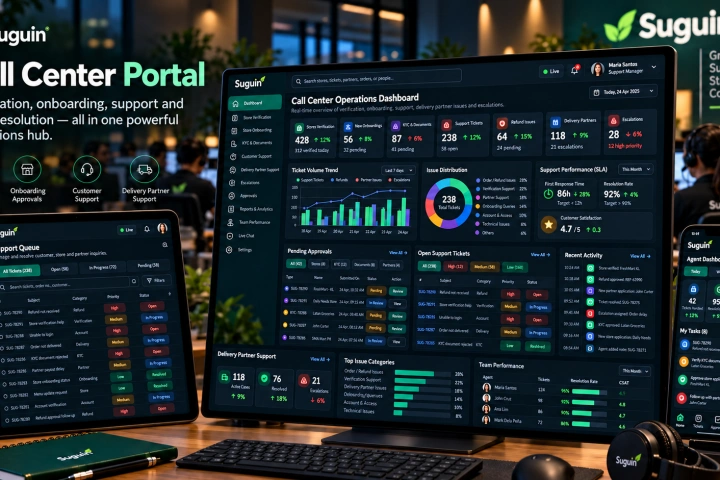
A Vue.js operations portal for store verification and onboarding, document/KYC approval, customer support, refunds, delivery-partner assistance, escalations and support-team visibility.
View case study↗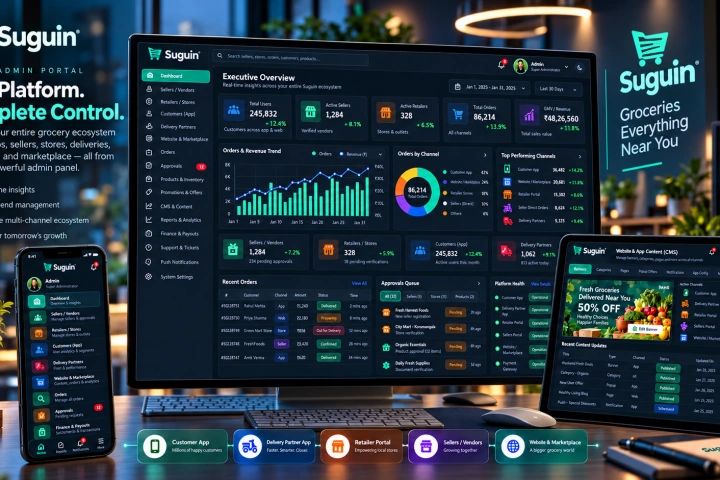
The Laravel and MySQL core of the Suguin ecosystem, managing sellers, retailers, customers, delivery partners, catalogues, orders, content, promotions, approvals, payouts, support and platform-wide controls.
View case study↗We can design a connected operations platform around your delivery model, security requirements, client access and website fleet.
Discuss your platform ↗