01
Workflow mapping & quick wins
A short discovery that finds the repetitive hours, then automates the two or three with the best payback first.

ServiceWeb Challengers
Focused internal tools and automation that replace spreadsheet, inbox and copy-paste work — keeping approvals, exceptions and human judgement visible where they matter.
The best automation candidates hide in plain sight: the spreadsheet emailed every Monday, the copy-paste between two systems, the approval chased over three apps. We find where the hours actually go, then build small tools that remove the repetition — one workflow at a time.
What we deliberately do not do is automate judgement. Exceptions, edge cases and the decisions that need a human stay visible and controlled. Good automation makes your team faster; bad automation makes your team helpless when something odd happens. We build the first kind.
Because each tool ships in weeks, value arrives early. Staff see their Monday spreadsheet disappear first; the bigger workflow follows. Adoption is earned by usefulness, not enforced by memo — which is why our tools actually get used.
Quick wins shipped in weeks, not quarters
Exceptions and approvals stay human-controlled
Built around how your team actually works
Each tool leaves an audit trail you can trust
Scoped around one workflow at a time — so each tool earns its keep before the next begins.
A short discovery that finds the repetitive hours, then automates the two or three with the best payback first.
One screen showing the numbers your team actually checks — with links to the records behind them.
Structured flows for requests, sign-offs and hand-offs, with status and ownership visible at all times.
Data moving between your tools without copy-paste — queued, logged and reversible.
Scheduled reports and clean exports that end the month-end spreadsheet ritual.
Structured storage, search and retention for the documents your process depends on.
Real project patterns connected to this service, solution or industry experience.
View all case studies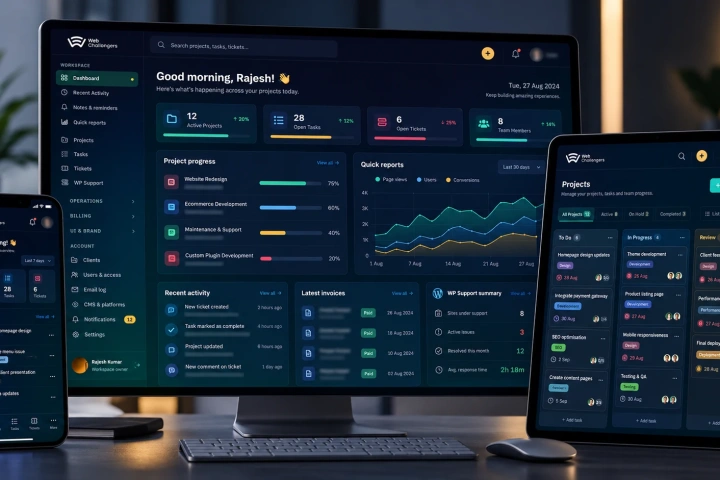
A secure Laravel + Vue platform unifying projects, clients, teams, support, billing and bulk WordPress operations — built to make 400–700+ website estates practical to manage from one place.
View case study↗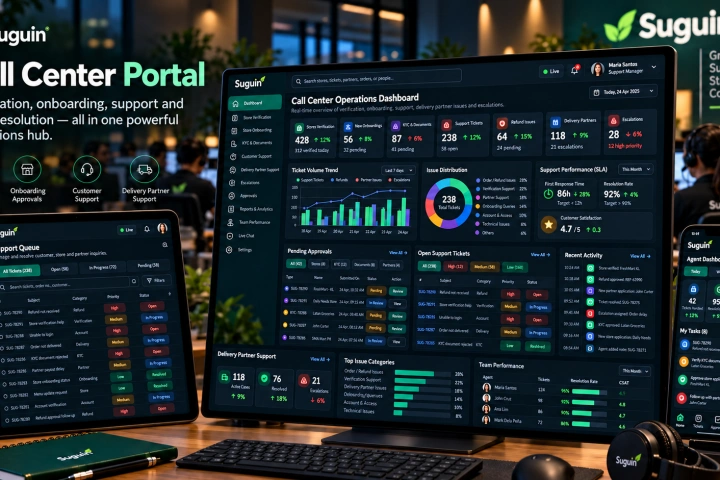
A Vue.js operations portal for store verification and onboarding, document/KYC approval, customer support, refunds, delivery-partner assistance, escalations and support-team visibility.
View case study↗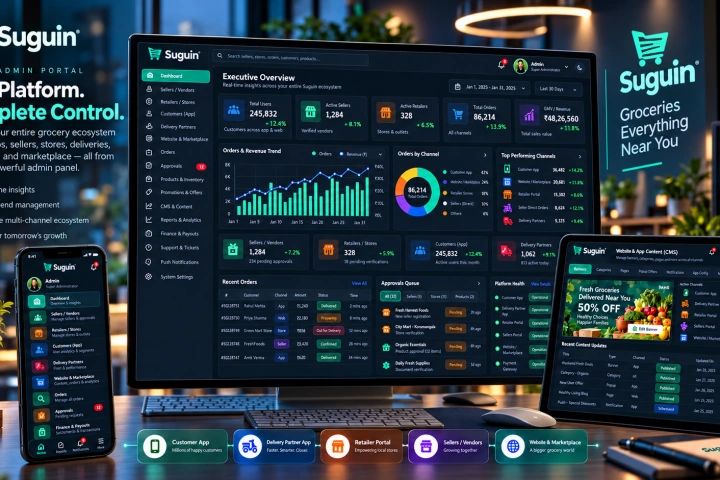
The Laravel and MySQL core of the Suguin ecosystem, managing sellers, retailers, customers, delivery partners, catalogues, orders, content, promotions, approvals, payouts, support and platform-wide controls.
View case study↗We build with the people who do the job — not from a requirements document about them.
We sit with the workflow as it actually happens and map where time and errors concentrate.
Together we choose the automation with the fastest visible payback and define what success looks like.
A small tool shipped to the team that uses it — their feedback shapes version two.
Once the first workflow sticks, we extend to the neighbouring process — with adoption already proven.
Automating a broken process just produces faster mistakes. If the current workflow grew by accident, spend a day simplifying it first — the tool will be cheaper, and the team will recognise the system they get because they helped shape it.
Every automation needs a documented human override — who can intervene, how they see that something is wrong and how the exception is recorded. Tools without an override path quietly train staff to work around them, which is worse than the spreadsheet ever was.
Straight answers about how this work is scoped, delivered and supported.
Ask something else →Where a platform is genuinely the right tool, yes. But complex or business-critical workflows usually deserve code — more reliable, testable and cheaper at volume than stacked subscriptions.
Yes — many projects start by reading from or writing to Google Sheets and Excel, then graduate the data into a proper database once the workflow proves out.
We build with them, not for them. Pilots with the people who do the work create ownership — and the first tool that saves them an hour a day sells the second one for you.
Very. Many engagements start as a two-week automation of one repetitive task — a low-risk way to prove the value before committing further.
Tell us which process eats your team's week. We will find the hours hiding in it and propose the smallest tool that frees them.
Discuss your workflow ↗