01
Fleet inventory
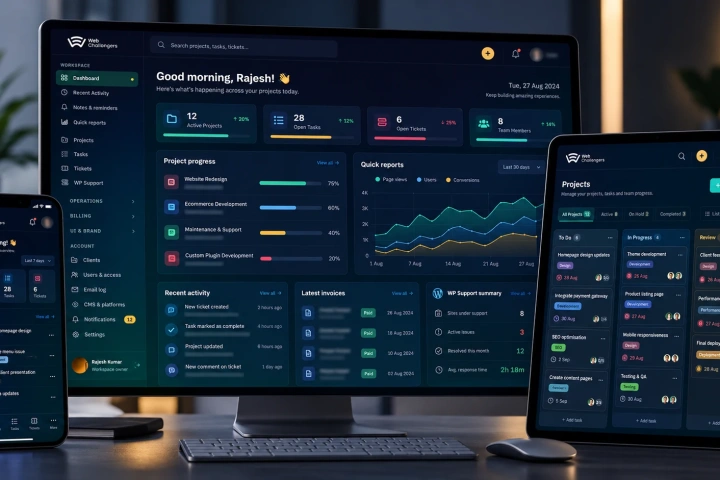
Central record of sites, environments, versions, runtimes, owners and support status.

SolutionWeb Challengers
For agencies and organisations responsible for many sites, we centralise maintenance, security checks, updates, health monitoring and reporting so routine operations are visible and repeatable instead of handled site by site.
As the number of sites grows, the risk shifts from individual bugs to operational inconsistency: one plugin is missed, one admin account stays active, one site stops sending backups, one environment falls behind on PHP.
We bring those checks into a central operating model: inventory, update status, security posture, runtime health, change visibility and maintenance actions become measurable rather than dependent on memory.
The same approach supports agency client fleets and internal multi-site organisations, with reporting that makes the work visible to account managers and stakeholders.
Central inventory and health visibility across sites
Repeatable update, hardening and maintenance workflows
Security and administrative-change visibility
Client/stakeholder reporting from the same operational data
The exact tooling can be adapted to your hosting, CMS mix and support model.
Central record of sites, environments, versions, runtimes, owners and support status.
Plugin/theme/core update visibility and controlled maintenance workflows across the portfolio.
Policy-based protections, suspicious-change visibility and recurring security checks.
PHP/runtime history, indexing status, cron, cache and site-health signals in one view.
New administrator detection, account review and safer operational login processes.
Weekly/monthly maintenance summaries and client-facing proof of work.
Real project patterns connected to this service, solution or industry experience.
View all case studiesA managed fleet should make exceptions visible without hiding the underlying site.
Identify every supported site, environment, runtime and current maintenance risk.
Define update, security, access and reporting defaults with per-site exceptions where necessary.
Run repeatable checks/actions from one workflow and keep the outcome visible.
Use fleet trends to prioritise ageing runtimes, recurring vulnerabilities and support effort.
Agree what every supported site must satisfy and what requires escalation.
Some sites need pinned versions, custom plugins or unusual hosting; those exceptions should be documented rather than silently ignored.
Straight answers about how this work is scoped, delivered and supported.
Ask something else →WordPress is the strongest fit for central automation, but the operating model can include other CMS platforms with the appropriate connectors and checks.
Yes. The solution is specifically useful when inventory, updates, security and reporting no longer scale as manual per-site tasks.
No. It coordinates and reports on operations; site-level backup, hosting and recovery controls still remain important.
Yes. Reporting can summarise updates, health, security and completed maintenance by client or site portfolio.
Tell us how many sites you support, where they are hosted and which maintenance/security checks consume the most time today.
Discuss your requirements ↗