
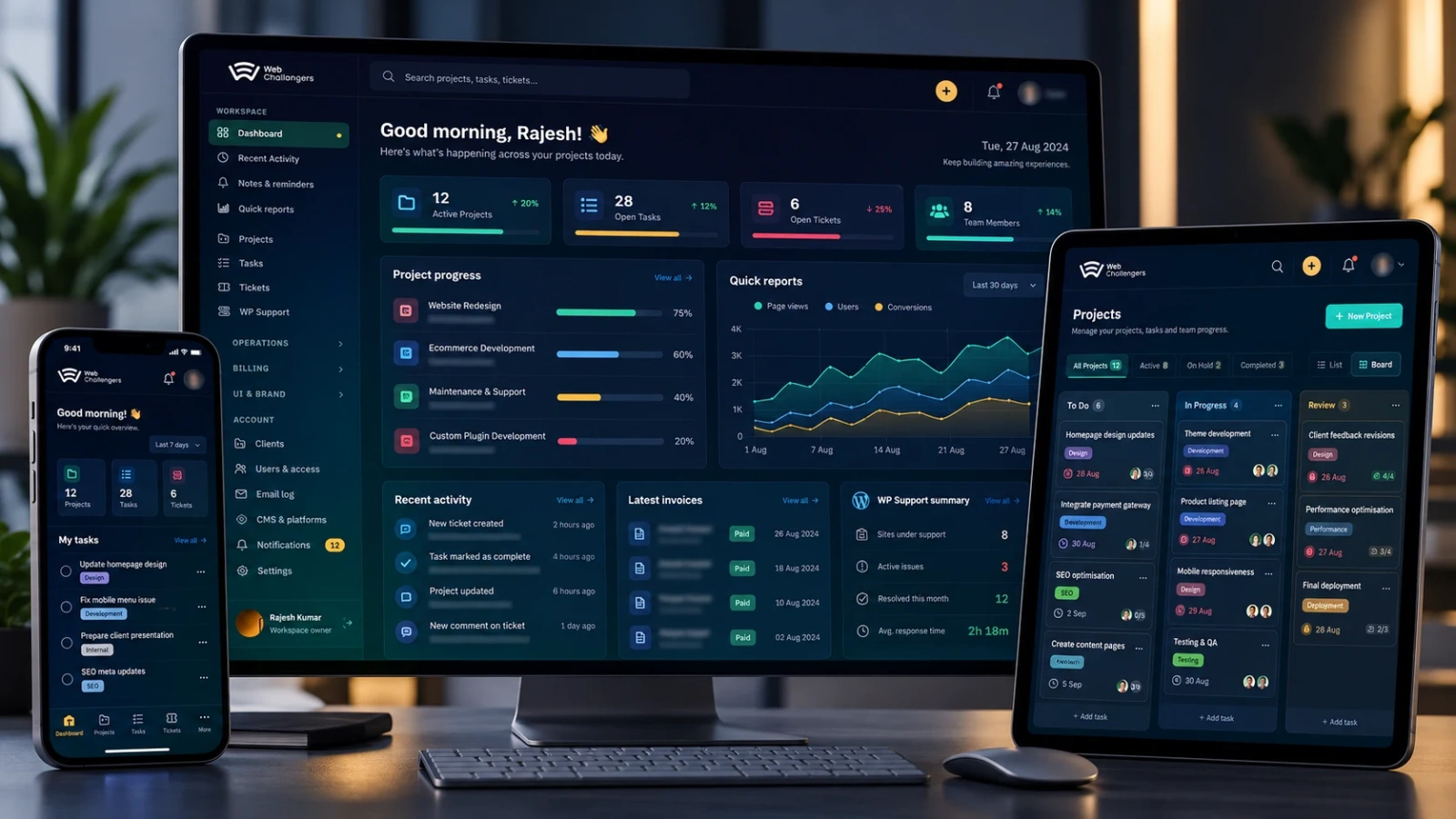
Launching a website, application or digital platform is only the point where real operating conditions begin. Traffic becomes less predictable, integrations fail in ways test environments did not reproduce, third-party services change, content editors make real updates, security pressure increases and business teams depend on the system every day. Production support is the discipline that keeps that environment dependable while the product continues to evolve.
Across long-running websites, Laravel and PHP applications, APIs, eCommerce systems, mobile-connected platforms and large WordPress estates, the same lesson appears repeatedly: reliability rarely comes from one tool or one developer knowing where to look. It comes from combining ownership, observability, safe change, documented recovery and a habit of learning from every meaningful incident.
1. Production support starts before production
A supportable system is designed to explain what it is doing. Before launch, teams should know where application errors are recorded, how infrastructure health is measured, how failed jobs are surfaced, which third-party services are business-critical, how backups are verified and what a safe rollback looks like. Waiting for the first outage to answer those questions makes the outage slower and more expensive.
- Document the production architecture, critical dependencies and ownership boundaries.
- Capture useful application logs, infrastructure metrics, job failures and security events.
- Define health checks for the journeys that actually matter to customers and operations.
- Keep deployment, rollback, backup and restore procedures available before they are urgently needed.
- Record vendor support routes and escalation contacts for critical hosting, payment, messaging and infrastructure services.
2. Monitor outcomes, not only servers
A server can be online while the business is effectively offline. CPU, memory and disk metrics are useful, but production monitoring should also observe customer and operational outcomes. Can a user sign in? Can checkout complete? Are payment webhooks arriving? Are background queues processing? Are emails or messages being delivered? Is the API returning valid responses within an acceptable time?
Good observability combines metrics, logs, events and traces with checks against important business flows. The objective is not to create the largest possible alert list. It is to create alerts that tell the responsible team when an outcome is at risk and provide enough context to begin investigation quickly.
3. Every alert needs an owner and an expected response
Unowned alerts become background noise. Every meaningful alert should have a reason for existing, an expected first response and a clear escalation path. If nobody knows whether an alert requires action, it is not operationally useful. If an alert triggers constantly without action, its threshold or design probably needs improvement.
- Define who receives the alert and who owns the affected service.
- Include the system, environment, severity and likely customer impact in the alert context.
- Link to the relevant dashboard, logs or runbook wherever possible.
- Separate urgent service-impacting alerts from informational warnings and maintenance signals.
- Review noisy alerts regularly so teams do not learn to ignore them.
4. Triage by business impact, not by who reports the issue first
Production queues can mix small visual defects with payment failures, login outages, security concerns and data-processing problems. A useful support model ranks incidents by impact: how many users are affected, whether revenue or core operations are blocked, whether data integrity is at risk, whether there is a security implication and whether a workaround exists.
This prevents a visible but low-risk issue from consuming the same emergency response as a failure that stops orders, prevents staff from operating or exposes sensitive functionality. Severity should guide communication frequency, escalation and the amount of engineering attention assigned.
5. Stabilize first; investigate deeply second
During a serious incident, the immediate objective is to reduce customer and business impact. That may mean rolling back a release, disabling a failing integration, switching to a known-good component, pausing a background process, increasing capacity or temporarily reducing non-essential functionality. A perfect diagnosis is valuable, but it should not delay a safe action that can restore service.
Once the platform is stable, the team can investigate root causes without making rushed production changes. Separating mitigation from diagnosis also produces better evidence: timelines, logs and change records can be reviewed methodically rather than under pressure.
6. Safe deployment is part of support
Many production incidents begin with change, so release engineering and support cannot be treated as separate concerns. A reliable deployment process should make it easy to know what changed, create a recovery point, apply database changes safely, clear or rebuild the correct caches, restart background workers when required and verify the application after release.
- Use versioned releases and retain a known-good rollback path.
- Create an appropriate backup before high-risk application or data changes.
- Run database migrations deliberately and record which migrations have completed.
- Verify queues, scheduled jobs, APIs, authentication and key customer journeys after deployment.
- Avoid making unrelated emergency changes while diagnosing a production incident.
7. Backups are useful only when recovery is understood
A successful backup message is not the same as a proven recovery plan. Teams need to understand what is included, where backups are stored, how long they are retained, which parts of the system can be restored independently and how long recovery is likely to take. Databases, uploaded media, application code, configuration and external services may all have different recovery requirements.
Restore procedures should be tested periodically and documented clearly enough that recovery does not depend on one person remembering a sequence of manual steps. For high-value systems, recovery objectives should be agreed in business terms: how much data loss is tolerable and how quickly service needs to return.
8. Security maintenance is production support
Production support includes maintaining the security posture of the running system. That means tracking application and dependency updates, removing unsupported components, reviewing privileged access, monitoring suspicious changes, rotating credentials when needed and responding to newly disclosed vulnerabilities with appropriate urgency.
For WordPress and other CMS estates, this can involve plugin and theme maintenance, file-integrity checks, administrator-account reviews, malware and firewall tooling, runtime compatibility checks and coordinated updates across many sites. For custom applications, the same principle applies to frameworks, packages, infrastructure, APIs and authentication controls.
9. Third-party dependencies need first-class support planning
Modern platforms depend on payment gateways, email delivery, cloud infrastructure, DNS, storage, messaging providers, analytics, maps, identity systems and other external services. When one fails, the application team may not be able to fix the underlying problem directly. Support therefore needs current vendor contacts, account ownership, service status links, escalation routes and a plan for degraded operation where practical.
This is especially important when access to a vendor account belongs to a former employee or a single developer. Operational ownership should belong to the business or an accountable team, not to one person's inbox.
10. Communication is part of incident resolution
Customers and internal teams do not need an unfiltered stream of debugging detail, but they do need timely, accurate communication. A useful incident update says what is affected, what users may experience, whether a workaround exists, what the team is doing next and when another update will be provided.
Clear communication reduces duplicate reports, helps business teams make temporary operational decisions and prevents engineers from repeatedly answering the same question while trying to restore service. It also creates a shared record of the incident timeline.
11. Support tickets should become engineering knowledge
If the same category of issue appears repeatedly, support should not simply get faster at closing the ticket. Repetition is evidence that the product, monitoring, documentation or operating process needs improvement. Good support teams turn recurring tickets into permanent fixes, automation, clearer interfaces, better validation or stronger runbooks.
Over time this reduces operational toil and gives developers more capacity for planned product work. A support platform that connects tickets, projects, time, deployments and recurring maintenance can make these patterns much easier to see than isolated inboxes and spreadsheets.
12. Post-incident reviews should produce owned improvements
A meaningful incident should leave the platform easier to operate than it was before. A useful review records impact, detection, timeline, mitigation, contributing conditions, root cause where known and the actions that will reduce the chance or impact of recurrence. The purpose is learning and system improvement, not assigning blame.
- Improve detection when the incident was discovered by customers before monitoring.
- Improve mitigation when the team knew the problem but restoration took too long.
- Improve architecture or validation when the same failure class can recur.
- Improve communication when stakeholders lacked timely or consistent updates.
- Give every corrective action an owner, priority and trackable completion point.
13. Measure support by reliability outcomes, not ticket volume alone
Ticket counts can show workload, but they do not show whether support is making the system healthier. More useful operational measures include time to detect, time to acknowledge, time to mitigate, recurrence rate, deployment failure rate, availability of critical journeys, unresolved high-risk maintenance, backup success and the age of post-incident action items.
The right measures depend on the platform and its business role. A customer-facing commerce system, an internal operational tool and a portfolio of marketing websites do not need identical support models. What matters is that service expectations are explicit and the team can tell whether reliability is improving.
14. Long-term ownership beats emergency-only support
The hardest systems to support are often those where nobody owns the whole production picture. One team manages hosting, another changes the application, a third handles content, integrations belong to individual vendors and nobody has a current architecture or deployment record. Emergency-only support then begins with reconstruction before diagnosis can even start.
Long-term technical ownership creates continuity. The team learns normal system behaviour, knows recent changes, understands historical weak points and can plan maintenance before it becomes an incident. This is particularly valuable for inherited platforms, legacy systems and business-critical applications that continue evolving for years.
A practical production-support baseline
- Named ownership for every production system and critical integration.
- Monitoring for infrastructure health and important customer journeys.
- Centralized logs and enough context to investigate failures efficiently.
- Severity levels, escalation paths and a repeatable incident process.
- Documented deployment, rollback, backup and restore procedures.
- Regular security, dependency and runtime maintenance.
- Current vendor support and account-access information.
- Clear stakeholder communication during service-impacting incidents.
- Post-incident reviews with owned corrective actions.
- A recurring review of support data to remove repeated operational work.
How Web Challengers approaches production support
Our maintenance and production-support work combines application knowledge with practical operations. Depending on the platform, that can include ongoing development, monitoring, incident investigation, deployment support, performance work, security updates, infrastructure coordination, API and integration troubleshooting, WordPress fleet maintenance, technical takeover and recovery of inherited systems.
The goal is not to create dependency on an endless ticket queue. It is to understand the platform well enough to reduce avoidable incidents, make necessary changes safer and give the business a clear technical owner when production needs attention.
Explore our connected Maintenance & Ongoing Support, Performance & Security, Cloud Infrastructure and Technical Takeover & Recovery capabilities, or review the Web Challengers Operations Hub case study to see how we connect support, maintenance and operational visibility at scale.